

Vizuální prezentace určuje každé rozhodnutí, které hráč ve hře bonus code Chicken Cross Great Britain učiní, od prvního spinu po závěrečné výplatě. Textury ve vysokém rozlišení, plynulé animace a stálé barevné ladění vytvářejí imersivní prostředí, jež náležitě oceňuje pečlivou pozornost. Grafický engine ovlivňuje, jak na sebe symboly reagují, jak vizuální triky akcentují výhry a jak rozhraní naviguje pohled v průběhu svižných kol. Znalost těchto designových rozhodnutí umožňuje hráčům posoudit, jestli hra poskytuje jasnost a vzrušení, jež očekávají, než se zaváží k peněžním vkladům.
Visual Design and Thematic Cohesion
Visual design in Chicken Cross Game creates a consistent visual language that connects every element on the reels. The developer picks a cohesive palette that balances bright foreground characters with muted background layers, ensuring that symbols remain legible at every zoom level. Steady line weights and shadow directions generate depth without clutter, so the eye moves naturally from one reel to the next. This approach reduces visual fatigue during extended sessions and supports quick recognition of winning combinations.
Background environments reinforce the theme without struggling for attention. Gentle parallax scrolling introduces motion while the reels remain in focus, and lighting changes during bonus rounds indicate a shift in game state. The same artistic rules cbc.ca extend to the user interface, where button shapes, icon sizes, and typography align with the reel artwork. Players enjoy a seamless world rather than a collection of disconnected screens.
Environmental storytelling reaches beyond static imagery. Distant farm structures shift perspective as the camera angle changes during win celebrations, and weather effects such as drifting pollen or soft rain deepen only after significant payouts. These layered details reward players who maintain the game open for long periods without ever diverting from the core reel action.
Interface Clarity and Information Hierarchy
The dashboard uses fixed positions for primary features so muscle memory develops quickly. Wager controls sit below the reels, while the prize chart button occupies the upper right corner, accessible within one tap or click. Font weights increase for the present bet and total win fields, capturing focus without requiring color changes that might clash with the design theme.
During automatic play rounds, a small information panel replaces the complete interface, showing leftover rounds and a single stop button. This simplification prevents unintentional clicks while maintaining availability to essential information. All text elements respect a minimum contrast ratio against their backgrounds, satisfying accessibility guidelines without changing the artistic direction.
Data volume adjusts automatically based on play duration. After thirty minutes the game subtly enlarges the payout record section, allowing veteran visitors to review latest results without opening a new panel. This layered presentation keeps newcomers oriented while giving skilled gamblers deeper context at a glance.
Visual Symbol Quality and Animation Precision
Each symbol undergoes specific care to texture mapping and frame scheduling. Low-value icons show sharp shapes that holds detail at tiny dimensions, while high-value icons use additional polygons and particle overlays for more fluid motion. When a payline appears, the motion sequence initiates with a targeted flash, then spreads out, offering the player a obvious visual indicator without blocking adjacent reels.
Refresh rates remain stable across hardware because the performance allocation is allocated according to symbol importance. Premium symbols receive additional frames for ambient motion or wing flaps, whereas basic symbols use briefer cycles that still read clearly. This targeted detail avoids the processor from becoming overwhelmed while maintaining the feeling that every symbol is part of the consistent environment.
Resting animations also communicate symbol order. The gold egg icon rocks gently on its hay bed, while the standard bag stays still until a payout triggers. Such subtle animations teach players to spot high-value symbols right away, shortening the time spent scanning reels after each turn.
Particle Effects With Payouts
Particle effects activate only after a win threshold is reached, conserving performance during regular play. Golden particles or feather bursts vary in intensity with the payout size, providing direct indication on outcome size. The particles follow predictable trajectories that stay clear of overlapping win line markers, so players can easily check which symbols were part of the final amount.
Stacked Illumination on Bonus Symbols
Wilds and scatters feature an extra glow layer that throbs at a lower frequency than the primary motion. This additional shine stays noticeable even when the icon sits behind a multiplier display, ensuring that its special status is never lost. Hue adjustments, from warm to cool, separate between regular wild substitutions and enhanced versions that show up in special rounds.
Emissive intensity also adapts to surrounding light levels detected by the hardware. On outdoor monitors the light intensifies, while in darker rooms it reduces to avoid eye strain. This self-adjustment ensures unique icons prominent without requiring user brightness changes from the player.
Sound-Visual Synchronization
Audio design enhances visual events instead of copying them. A rising tone matches the growth of a multiplier banner, while a gentle impact marks the moment particles fade. discover now These matches create a feedback loop that assists players register outcomes more quickly than either sense could accomplish alone.
Volume curves are tuned so that symbol animations don’t compete with voice-over or win tally sounds. When multiple effects activate concurrently, the engine favors the most recent payout event, reducing secondary layers automatically. This hierarchy keeps the soundtrack energetic without becoming noise, supporting longer play sessions without listener fatigue.
Cross-modal cues extend to haptic feedback on supported devices. A short vibration accompanies the final feather burst of a large win, converting visual magnitude into a tactile signal. This additional channel proves especially useful in noisy environments where audio cues might otherwise be missed.
Performance Tuning and Planned Improvements
The graphics pipeline uses texture atlases and GPU instancing to minimize draw calls, enabling the same engine to support both desktop and mobile clients from a single codebase. Developers release patch notes that list specific art revisions, such as increased polygon counts on premium symbols or adjusted particle counts for older hardware. Players can examine these notes to predict performance changes after each update.
Because the game operates inside a browser container, incremental downloads update only modified assets. This approach maintains initial load times low while still enabling high-fidelity additions later. Users who face stuttering can toggle a “performance mode” that replaces simplified shaders, a setting that carries over across sessions and devices linked to the same account.
Future updates will add optional ray-traced reflections on water puddles within the farmyard backdrop. Early internal tests reveal a modest frame-rate cost on mid-range hardware, so the feature will remain off by default. Players who activate it on newer GPUs will observe richer environmental depth without any change to core mechanics.
Efficiency Across Display Dimensions
Responsive scaling begins at the asset level rather than the layout level. Vector-based interface components adjust line width automatically, while pixel-based imagery uses different resolution versions loaded according to device pixel density. The game identifies available bandwidth on first load and replaces lighter particle sets if necessary, maintaining frame rate over visual density.
Proportion management avoids distortion by anchoring the reels to a protected core region and extending background art outward. On ultrawide monitors the extra space populates with atmospheric details that do not affect gameplay calculations. Mobile portrait mode arranges the control panel beneath the reels, keeping tap targets above the recommended minimum size for touch accuracy.
Device-specific tuning continues after launch. Telemetry data guides weekly adjustments that improve draw distances on older tablets or raise shadow resolution on flagship phones. Players perceive these refinements only as smoother performance rather than visible redesigns.
Assessing Graphics Quality When Playing
Prospective players can test visual performance with no financial commitment by opening the free-play version in their browser. Watching frame consistency during bonus triggers and confirming whether text remains crisp at maximum zoom offers practical data. If the demo maintains sixty frames per second on the target device, real-money sessions are likely to feel equally smooth.
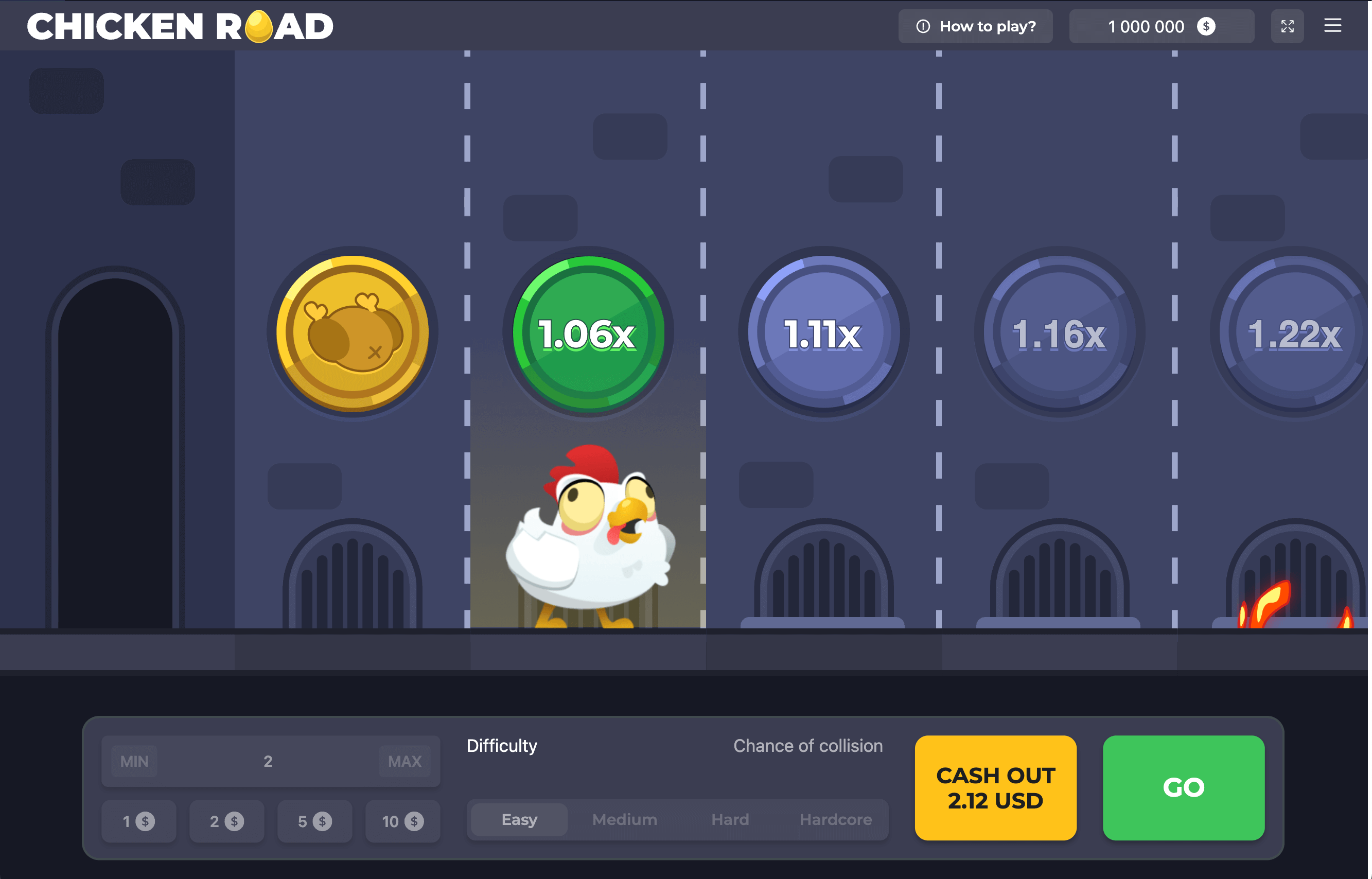
Comparing the paytable illustrations with the live symbols provides another quick check. Any noticeable drop in sharpness or color depth between the two indicates that the device may be substituting lower-resolution assets. Adjusting the browser zoom level or closing background applications often restores intended quality without changing game settings.
Graphics quality in Chicken Cross Game functions as both an aesthetic choice and a usability feature. Clear symbol hierarchy, stable performance, and synchronized feedback together decrease cognitive load and aid informed betting decisions. Players who verify these elements during the demo get confidence that the visual layer will enhance rather than hinder their experience when real stakes are involved. Before committing funds, spend at least fifteen minutes in the demo, deliberately starting every bonus round available, and notice whether any visual element ever obscures critical information. This single habit distinguishes informed players from those surprised by performance drops after deposits are placed.
